
Student Links
Directions for Accessing Your Aspen Student Portal
- Aspen Student Portal Login Instructions
Note: The earliest date you can expect to access your schedules is Monday, August 31, 2026. However, it could take until end of day on Friday, September 4, 2026 for all student schedules to be released.
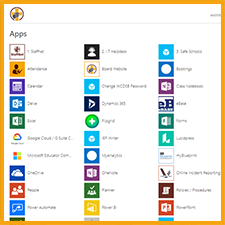
Access to Student Apps
Students can log on using their username (student ID number, followed by the first 3 letters of their last name, followed by @wcdsb.ca – 55555abc@wcdsb.ca) and password. If students are having trouble logging on, please contact their teacher who will place an IT HelpDesk ticket on their behalf.
Setting Up a WCDSB Account on Personal Chromebooks
To make sure that parents and students control the setup and management of personal Chromebooks which they have purchased, it is important to make sure that they are set up properly out of the box. The most important step in this process is making sure that the account used to set up the Chromebook is a personal Google account (ending in @gmail.com) and not a WCDSB account (ending in @wcdsb.ca).
View the instructions for Setting up a WCDSB account on Personal Chromebooks.
Multi-Factor Authentication (MFA) Registration
View the instructions for Multi-Factor Authentication (MFA) Registration.
